Category B driving test · part 1
Learn the safety check on the car you will drive
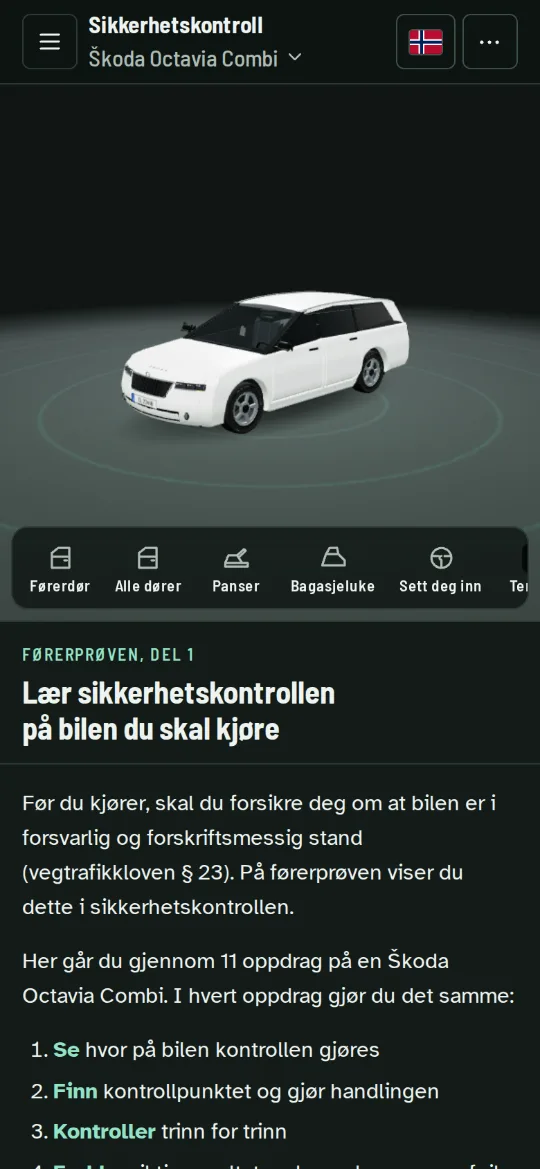
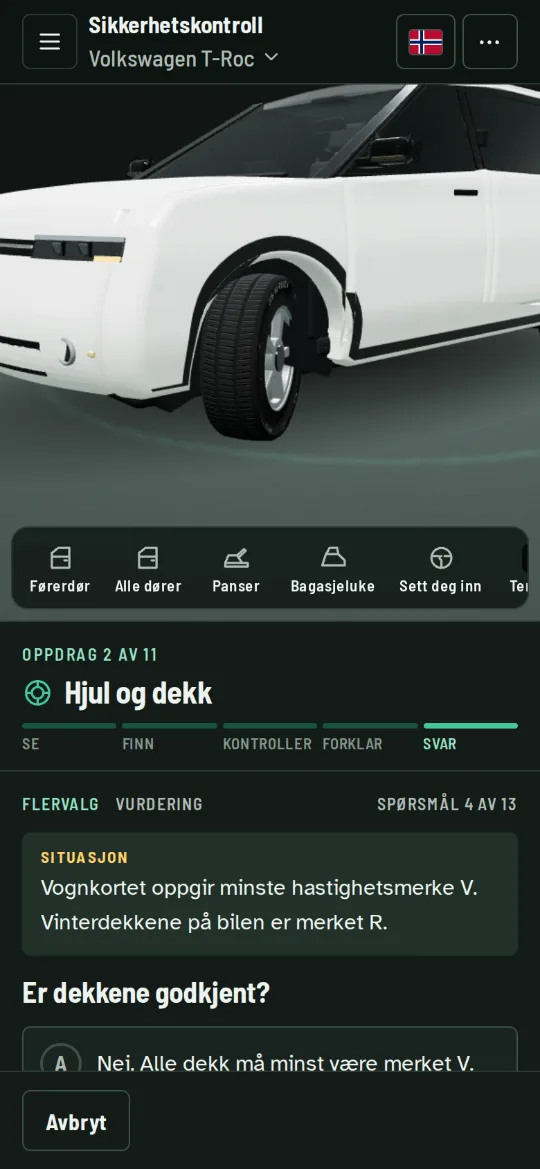
Sikkerhetskontroll is an app with a 3D model of the car. You see where the checkpoints are, do the check step by step and practise the questions you may get in the driving test.
- 5 cars
- 11 missions
- 290+ questions per car
- 13 languages
How you learn the check
Every mission follows the same pattern, so you know what is coming.
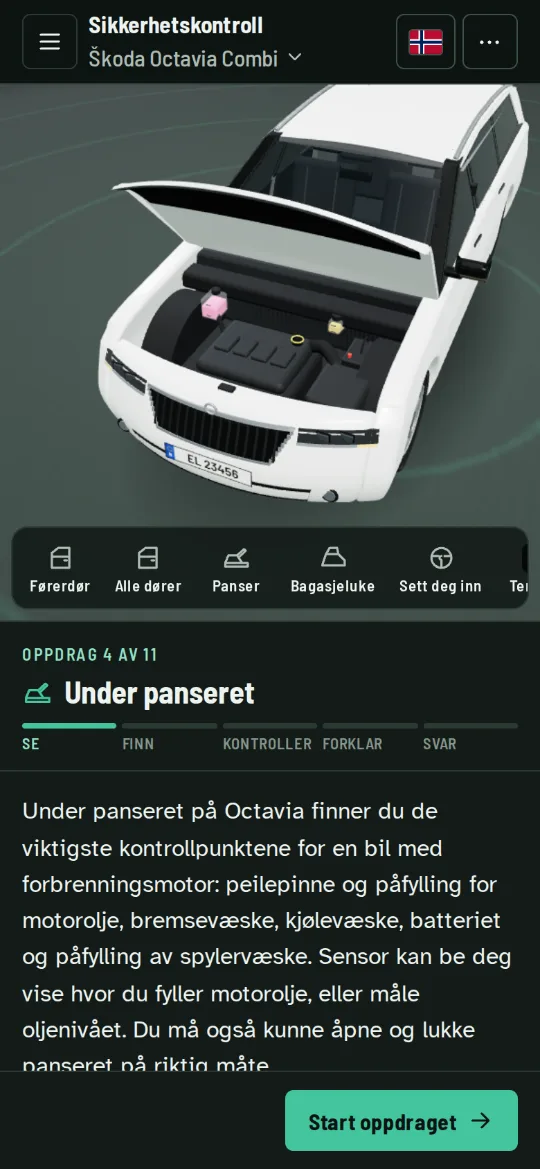
- SeeThe camera shows where on the car the check is done.
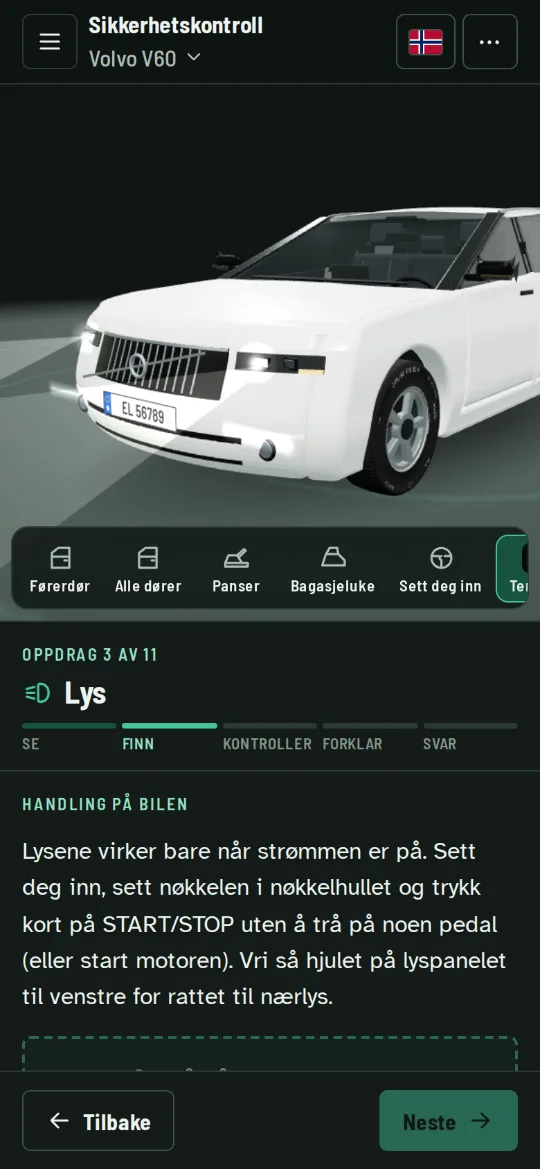
- FindYou open the bonnet, switch on the lights or turn the wheels on the 3D car.
- CheckYou go through the check step by step, just like in the test.
- ExplainYou learn what the correct result is, and what a fault can lead to.
- AnswerYou answer questions and get an explanation for every answer.
Everything you need for the safety check
11 missions
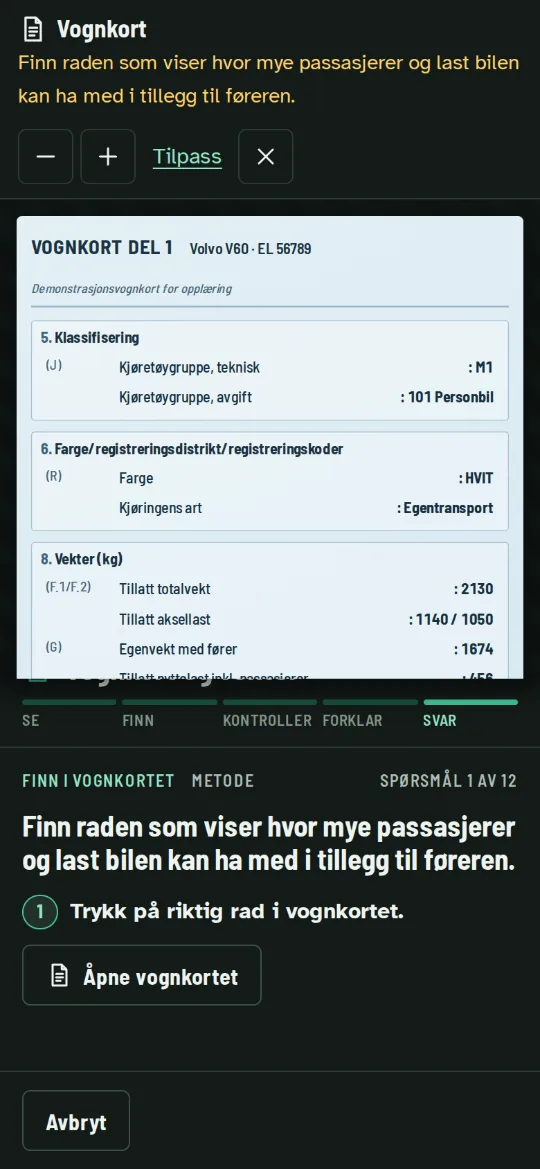
Registration certificate and weights, wheels and tyres, lights, under the bonnet, brakes and steering, emergency equipment, seat belt and load securing, warning lights, climate and visibility, sitting position and driver assistance.
290–314 questions per car
Multiple choice, putting things in order, matching up, calculations and tasks where you find the point on the car or the row in the registration certificate.
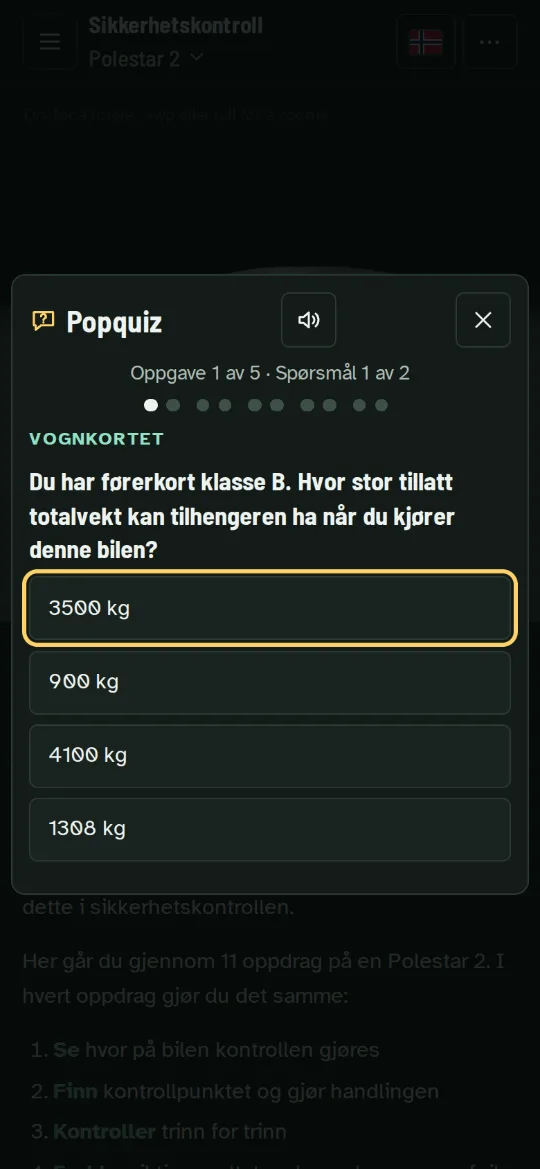
Pop quiz
40 tasks from the safety check in the driving test, with two questions each, just like in the test.
Exam mode
Random tasks with no hints. At the end you see your result and what you should practise more.
Lamp Hunt
A quick game against the clock where you find the warning lights in the driver display.
Stars and progress
You get stars for every mission and can see which topics you should revise.
13 languages
Norsk, English, Türkçe, العربية, Español, Українська, Shqip, اردو, Deutsch, Polski, Lietuvių, Kurmancî, فارسی. What is written on the car and in the registration certificate is shown in Norwegian, just as you will see it in the test.
Works offline
Once the app is installed, you do not need the internet. Your progress is saved on your phone.
The cars in the app
The checkpoints are where they are on the real car. You choose a car the first time you open the app, and you can change it later.
- Škoda ElroqElectric SUV with automatic gearbox
- Škoda Octavia CombiEstate car with diesel engine
- Polestar 2Electric fastback with a front boot (frunk)
- Volkswagen T-RocCompact SUV with diesel engine
- Volvo V60Estate car with diesel engine
Install the app
Sikkerhetskontroll is installed from your browser. You do not need the App Store or Google Play. It takes less than a minute.
The app starts in the same language as this page. Norwegian is always included.
Use Safari. Other browsers on iPhone cannot always add the app to the home screen.
-
Tap the Share button
The Share button is at the bottom of the screen. On iPad it is in the top right corner. If you can't see it, tap ⋯ in the bottom right corner first and then Share.
-
Choose «Add to Home Screen»
Scroll down the list a little. If you can't see it, tap View More.
-
Tap «Add»
Leave Open as Web App switched on if you see that option. Then tap Add in the top right corner.
-
Open it from the home screen
The app is now on your home screen with the icon below. Open it from there, not from Safari.
Use Chrome. Firefox on Android can't install the app.
-
Tap «Install now»
The app shows a button for installing it. Tap it and confirm with Install.
-
No button? Use the menu
Tap ⋮ in the top right corner of Chrome and choose Install app or Add to Home screen. Choose Install if you are asked.
-
Open it from the home screen
The app is on your home screen and in your app list, just like a normal app.
-
Or use the address bar
Click the install icon at the far right of the address bar, or open the menu and choose Install.
-
Safari on a Mac
Choose File and then Add to Dock. Firefox can't install the app.
Can't get it to work?
- Did you open the link in Facebook, Instagram, Snapchat or Messenger? Then you are in that app's own browser. Tap ⋯ or ⋮, choose Open in browser (or Open in Safari) and try again.
- Do you only see the installation page? The app can only be used once it is installed. Open it from the icon on your home screen.
- Have you installed it before? Then the app is already on your phone. Look for Sikkerhetskontroll in your app list.
Good to know
Takes up little space
You choose a car the first time you open the app, and only that car is downloaded, together with the language you have chosen. You can download or delete more cars and languages whenever you like.
No user account
Your progress is only stored on the device you are using. It does not carry over to other devices, and it is lost if you delete the app.
Privacy
The app asks whether you want to share anonymous usage statistics. No name, e-mail or IP address is stored. You can change your choice in the app menu.
Report a problem
Is something wrong or unclear? Tap the speech bubble in the app. The message is sent with information about where you were in the app.